

IPTV (Internet Protocol Television) is becoming a popular option for viewing diverse content in the ever-changing digital entertainment ecosystem in the UAE. Nonetheless, there is a list of questions that accompany this popularity, among them the most pressing: Should you use a VPN with your IPTV service?
This paper is an open and comprehensive response that discusses the complex relationship between VPNs and IPTV in the UAE. We shall discuss the purpose of VPN use, the legal and practical dangers of using a VPN, and how to select and set up the appropriate service to achieve the best streaming experience. This is your ultimate key to finding your way in the world of IPTV and VPNs with a high degree of assurance and understanding.
Learning the Intersection of IPTV and VPN in the UAE
To tackle the key question, it is essential first to understand what the two technologies are about. IPTV and VPNs will both be strong in their own right, but their combined use will generate a new range of possibilities and challenges for the users in the UAE.
What is IPTV and how does it work in the UAE?
IPTV stands for Internet Protocol Television. IPTV does not require any special equipment, unlike traditional methods that require satellite or cable to access television; it uses the same networks that provide your internet connection. This gives it a more interactive and flexible viewing experience.
 The technology of IPTV streaming
 The technology of IPTV streaming
The IPTV operates, at its core, by transmitting media in data packets across the Internet. On-demand movies or channel selection cause a server to send data packets to you in the form of corresponding packets. Then your IPTV box or app decodes these packets and displays them as a continuous video stream. This approach enables features that traditional TV cannot provide, such as time-shifting (freezing and rewinding live television) and video on demand (VOD).
The Popular IPTV services in UAE
The IPTV market in the UAE is heterogeneous. It consists of official, licensed services from local telecommunication providers that offer a select range of local and international channels. In addition to these, an emerging industry of third-party IPTV providers provides access to a wide range of global channels, movies, and TV series, and sometimes at reduced cost. The use of these third-party services is what raises the question of VPNs more than anything.
What is a VPN and why is it interest to IPTV users?
A VPN, or Virtual Private Network, is a service that helps enhance your online privacy and security. It establishes an encrypted, secure tunnel between your computer and the Internet.
The Essentials of a Virtual Private Network
There are two primary functions of VPN. The first is that it encrypts every piece of data going in and out of your machine, making it impossible for anyone who attempts to interpret it, whether it is your Internet Service Provider (ISP), the government, or even a hacker on a shared Wi-Fi network. Second, it hides your IP address (the unique identifier of your device on the Internet) and routes your traffic through one of the VPN servers you are connected to.
The Way a VPN Hides Your IP Address and Ciphers Data
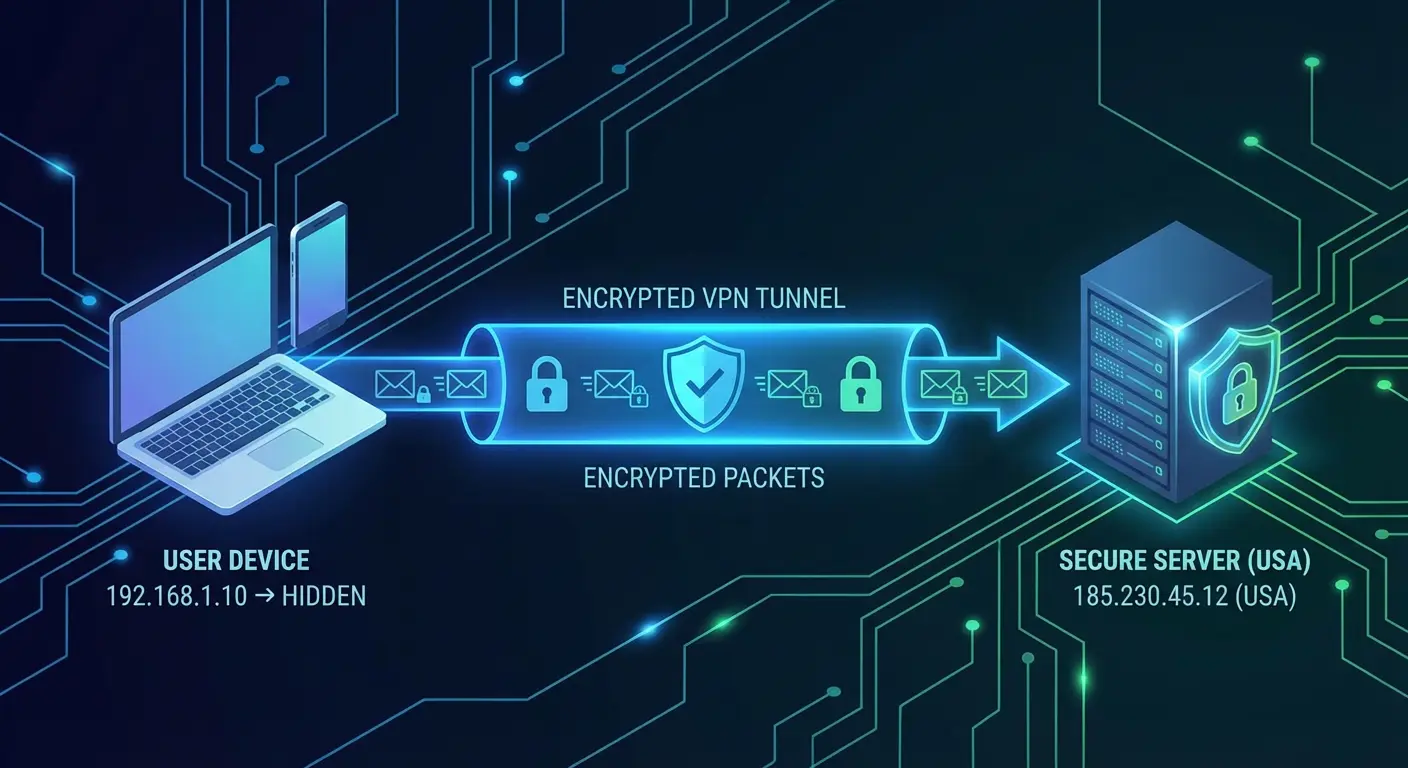 The Way a VPN Hides Your IP Address and Ciphers Data
When you are connected to a VPN, you can choose a server in a particular country. Everything that you do online is then redirected through this server. It would seem to the outside world that you are surfing off that server, not off your own. It is the most essential tool that enables VPNs to overcome geographical limitations and secure your identity on the Internet, making it one of the most relevant tools for IPTV users.
The main reasons why we should use a VPN when watching IPTV in the UAE
Why, then, are the synergies between IPTV and VPN so widespread? The motives are quite varied and may be explained by access to more content or personal privacy protection.
Avoiding Geo-Restrictions and Viewing More Content
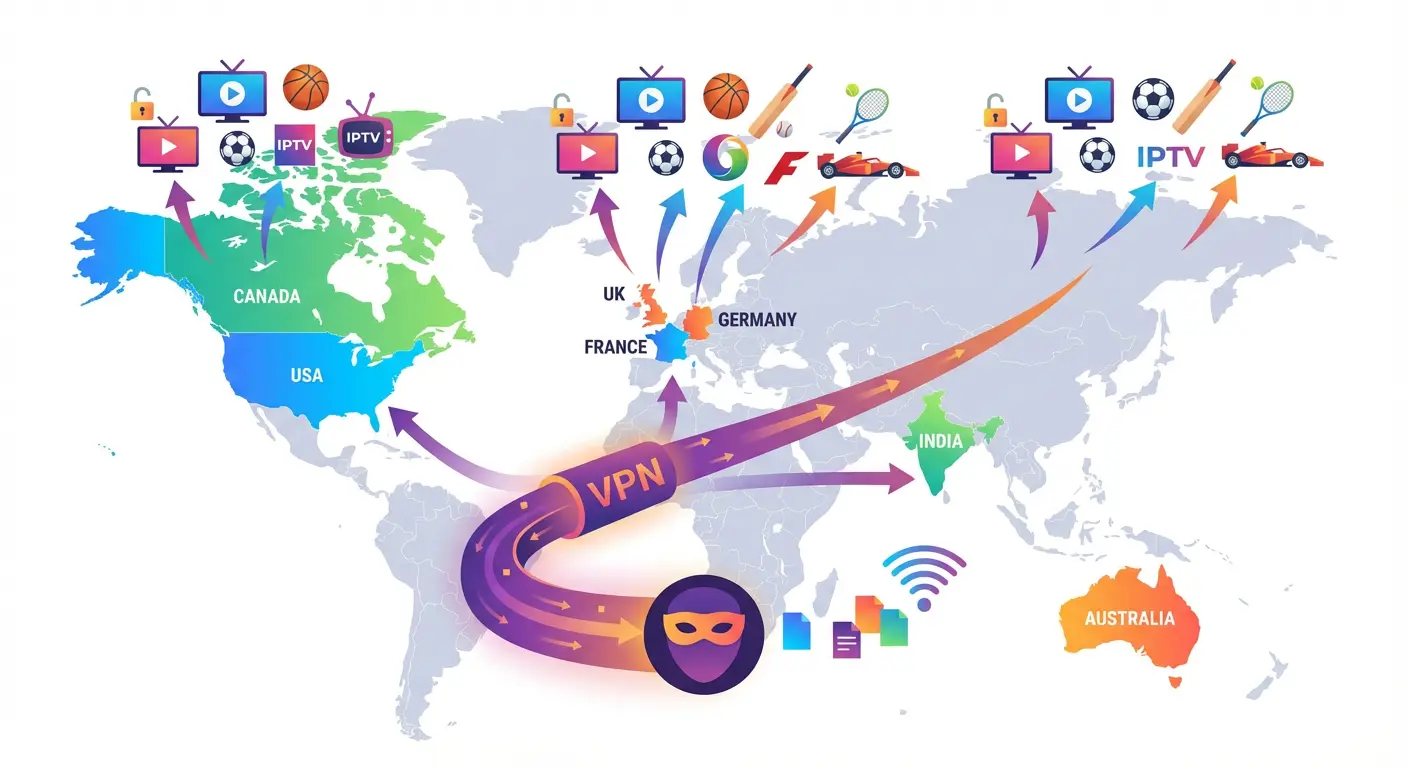 Avoiding Geo-Restrictions and Viewing More Content
Numerous IPTV stations and streaming platforms are geographically blocked; that is, they are licensed to be broadcast in particular states. The best way to get around these restrictions is to use a VPN.
International Channel Sports Package unlocking
It could be that you are an expatriate in Dubai and would like to watch a local network in your country of origin, or you are a sports fan and would like to watch a game not being aired in the UAE. This can be used to herd you toward the country you want to be in, and then you can access a virtual world of content you would not otherwise be able to access.
Internet Privacy and Internet Security
Privacy is a significant issue in the era of rising digital surveillance. A VPN is an essential security measure for online activities.
How to shield your viewing habits from ISPs
Even without a VPN, your ISP can track every site you visit, every video you watch, and every file you download. Although this data is most often used for legitimate network management, it may also be used to market or share with third parties. A VPN also encrypts your internet connection, meaning your ISP does not see what you watch, and thus any information you watch through your IPTV subscription will remain confidential.
Smoking ISP Throttling: Triumph
Have you ever wondered why your internet speed suddenly slows down, particularly when you are watching videos? This may be due to ISP throttling.
What does ISP throttling mean and why does it occur?
Throttling is the deliberate slowing of your internet connection by your ISP. This is usually done to contain network congestion, particularly during peak periods, or to deter high-bandwidth activities such as HD streaming. Due to IPTV’s high bandwidth, the service is an excellent target for throttling, which causes the most irritating streaming issue of all: buffering.
A VPN will help you achieve stable streaming speeds
A VPN ensures that your ISP cannot see what you are doing on the Internet by encrypting your traffic. It can only know that it is using data, but it cannot distinguish between streaming video and other activities. This significantly complicates the ISP’s cherry-picking of your connection based on what you are doing and even makes the streaming experience much more stable and buffer-free.
The “Honest Answer”: Managing the Legality and Risks
It is here that the discussion is more subtle. Although the technical advantages are apparent, it is necessary to understand the legal landscape and potential risks in the UAE.
Is the use of VPN in the UAE for IPTV legal?
It is unclear whether using VPNs in the UAE is legal. One aspect of VPNs is unambiguous: they are illegal. It may result in very serious consequences to use a VPN to commit a crime or even access blocked content on the Internet (such as gambling websites or adult videos).
Understanding the UAE’s Position on VPN Use
Nonetheless, it is acceptable to use a VPN to establish a secure Wi-Fi connection or to protect privacy within a company. The gray area is the use of VPNs to access geo-blocked content. Although using a VPN is not a crime, accessing content that is not licensed in the area is a gray-area crime. It violates the content provider’s service conditions, but is not directly criminalized, unlike accessing forbidden content. Laws should be remembered, and these tools must be used responsibly.
Possible Cautions and Disadvantages of Using a VPN to Use IPTV
There are real dangers even in getting through the legal aspects.
Threat of Retarded Speed and Buffering
Although a VPN can help defeat throttling, it will also reduce your connection speed. The distance the data must travel to the VPN server may introduce latency into the encryption process. That is why it is essential to choose a reliable VPN with high-speed servers to stream. If you often experience interruptions, our guide on Buffering Problems on IPTV Dubai explains the most common causes in detail.
Selecting an Untrustworthy VPN Provider
VPN providers compete in the market, and not all of them are created equal. More specifically, free VPNs are not a good option for IPTV. They are likely to be slow, limited in data transfer, and worst of all, they can track your traffic and sell your information to third parties, thus completely rendering the utilization of a VPN to guarantee privacy useless.
The most important thing is to choose the appropriate VPN. This is what to look at and how to establish it.
The Major Considerations in Choosing a VPN Provider
The following table compares some of the main characteristics of a hypothetical set of quality VPN providers for streaming IPTV in the UAE.
| Feature | VPN Provider A | VPN Provider B | VPN Provider C |
|---|---|---|---|
| Server Network | 5000+ servers in 60 countries | 3000+ servers in 94 countries | 6000+ servers in 105 countries |
| Speed & Performance | Superior, proprietary speed-enhancing protocol. | Very Good, consistent speeds. Very well, streaming-friendly. | Very well, streaming-friendly. |
| Security Protocols | OpenVPN, IKEv2, WireGuard | OpenVPN, IKEv2, Lightway | OpenVPN, IKEv2, NordLynx |
| No-Logs Policy | Independently audited | Independently audited | Independently audited |
| Device Compatibility | Applications compatible with all major devices, including routers. | Applications on all major devices, as well as router support. | All major device apps are router-configurable. |
| Customer Support | 24/7 Live Chat | 24/7 Live Chat & Email | 24/7 Live Chat & Email |
How to configure a VPN to use with IPTV
 How to configure a VPN to use with IPTV
Once you have selected a provider, setup is usually straightforward.
Directly on Your Smart TV or Android Box
- Make a subscription with your desired VPN.
- Open the Smart TV App Store or Android Box.
- Find your VPN provider’s app and download it.
- Launch the application and enter your details.
- Connect to a server that is located in the country of your choice.
- Open your IPTV application and get streaming.
On Your Router with Entire-Home Protection
- Make sure your router supports VPN installation (refer to your VPN provider’s website).
- To install the VPN client, carefully follow the provider’s instructions to flash your router with the correct firmware and enable the VPN.
- Set the VPN to connect to your preferred server location.
- Connect the IPTV device (and any other devices) to the router’s Wi-Fi network. All traffic will now be automatically routed through the VPN.
More often than not, the FAQ is the most frequently asked question
The following are the most frequently asked questions about using a VPN with IPTV, along with their answers.
Does IPTV have a built-in VPN?
Typically, no. IPTV services, whether official providers or third-party vendors, do not include an in-built VPN. It is an independent service that you need to purchase and set up yourself.
How can I tell if my IPTV VPN is working correctly?
The simplest way is to check your IP address. Before connecting to the VPN, use Google to search for the query “What is my IP?” Record the location and IP address. Then, subscribe to your VPN and repeat the search. Provided that your VPN server has been configured to include the IP address and location, you are on the right track.
Will VPN completely remove buffering?
Not necessarily. Although VPNs help address ISP throttling, buffering may also occur for other reasons, such as a slow base internet connection, an overloaded IPTV server, or an underpowered streaming device. A VPN will be helpful, but it is not a silver bullet for all streaming issues.
What is the difference between a paid and a free VPN for IPTV?
The disparity is high. Paid VPNs require investing in fast servers, high-level security, and no logs, which are necessary for a good IPTV experience. Free VPNs tend to cut corners on all these fronts, offering low-speed, low-quality security, and worst of all, they could sell your data. When it comes to reliable, private streaming, a decent, reputable paid VPN is always the best solution.