
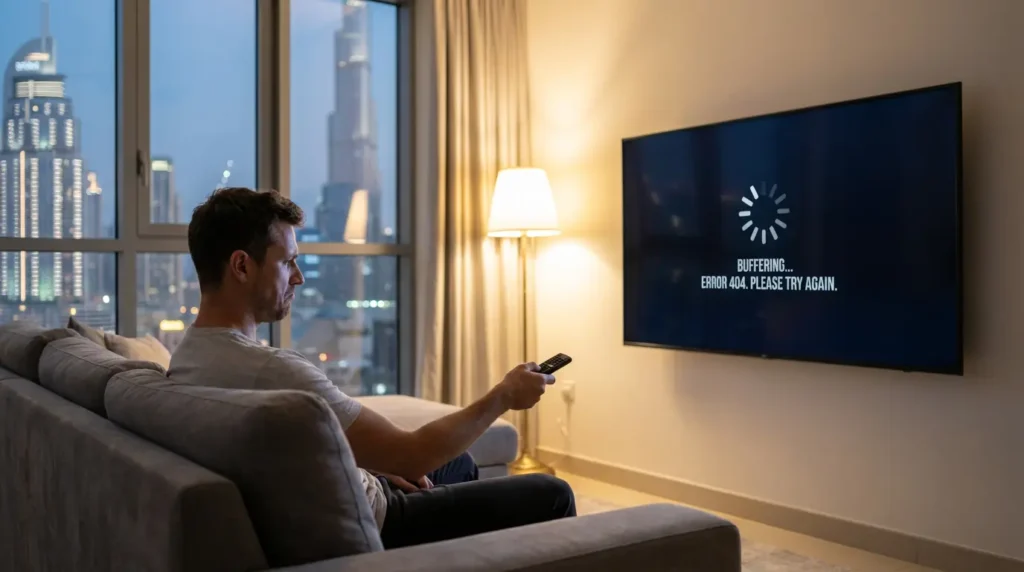
Watching a major game or a new movie is one of the most frustrating things when one gets seated only to see a black screen, a spinning buffering wheel, or a mysterious error message. In case your IPTV services in Dubai are malfunctioning, do not drop the remote. The majority of the problems can be solved by mere logical troubleshooting.
Here is your step-by-step diagnostic guide. We will go through a list of checks, starting with the simplest and most common solutions, to identify the exact root of the issue. Whether it is your internet, your application, or even the provider, this guide will help you get your stream back online.
First, Do This: The 60-Second Reboot Cycle That Solves Half the Issues
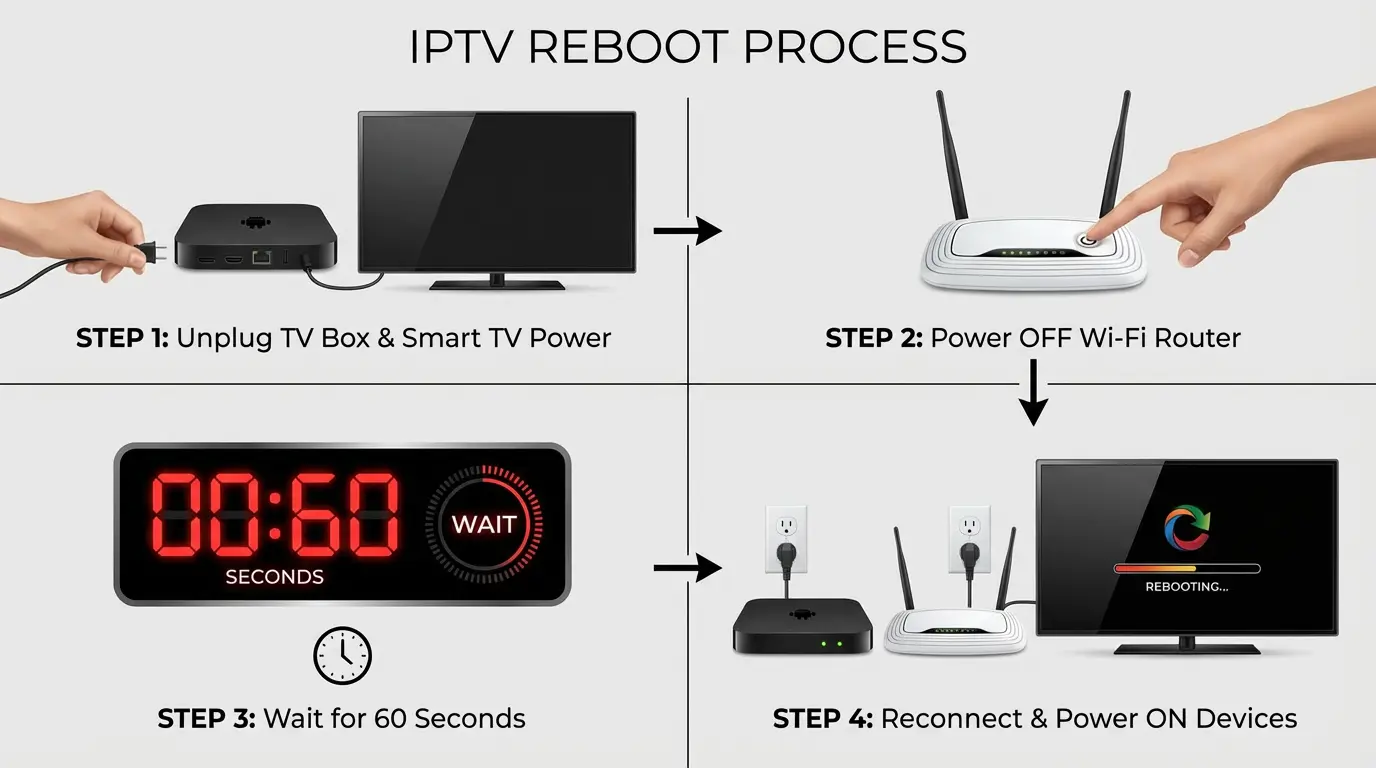 A complete power cycle
Before you plunge into complicated environments, do a complete power cycle. This mere practice fixes a shocking quantity of short-term glitches by deleting device memory and forming new connections. It is what any IT professional would advise you to do, and they have a reason: it works.
Step 1: Unplug Your IPTV Device
Remove the power cable of your Amazon Fire TV Stick, Android box, or smart TV. Do not just switch it off with the remote; pull the plug out.
Step 2: Turn off your Internet router
Disconnect the power plug of your Etisalat or Du router, too.
Step 3: Wait 60 Seconds
This is the most significant step. Be patient. This delay time allows the internal components to shut off completely and clear any faulty or cached data.
Step 4: Re-plug Everything
To start, rep-lug your Etisalat or Du router and let all the lights stabilize (usually 2-3 minutes). I suggest you reconnect your internet connection, then reconnect your IPTV device.
Step 5: Retest
Launch your IPTV service. When the problem is eliminated, you are good to go. Assuming that it continues, then you have effectively eliminated a mere one-time glitch and can move on to the second section with confidence.
Is It Your Internet? Diagnose Your Dubai Connection (Etisalat & Du)
The IPTV stream relies entirely on a stable internet connection. Streaming video is more demanding than your web browser or other applications may appear to be. The following is the diagnosis of your local network.
Wi-Fi vs. Ethernet Test: The Simplest Method to Verify Signal Problems
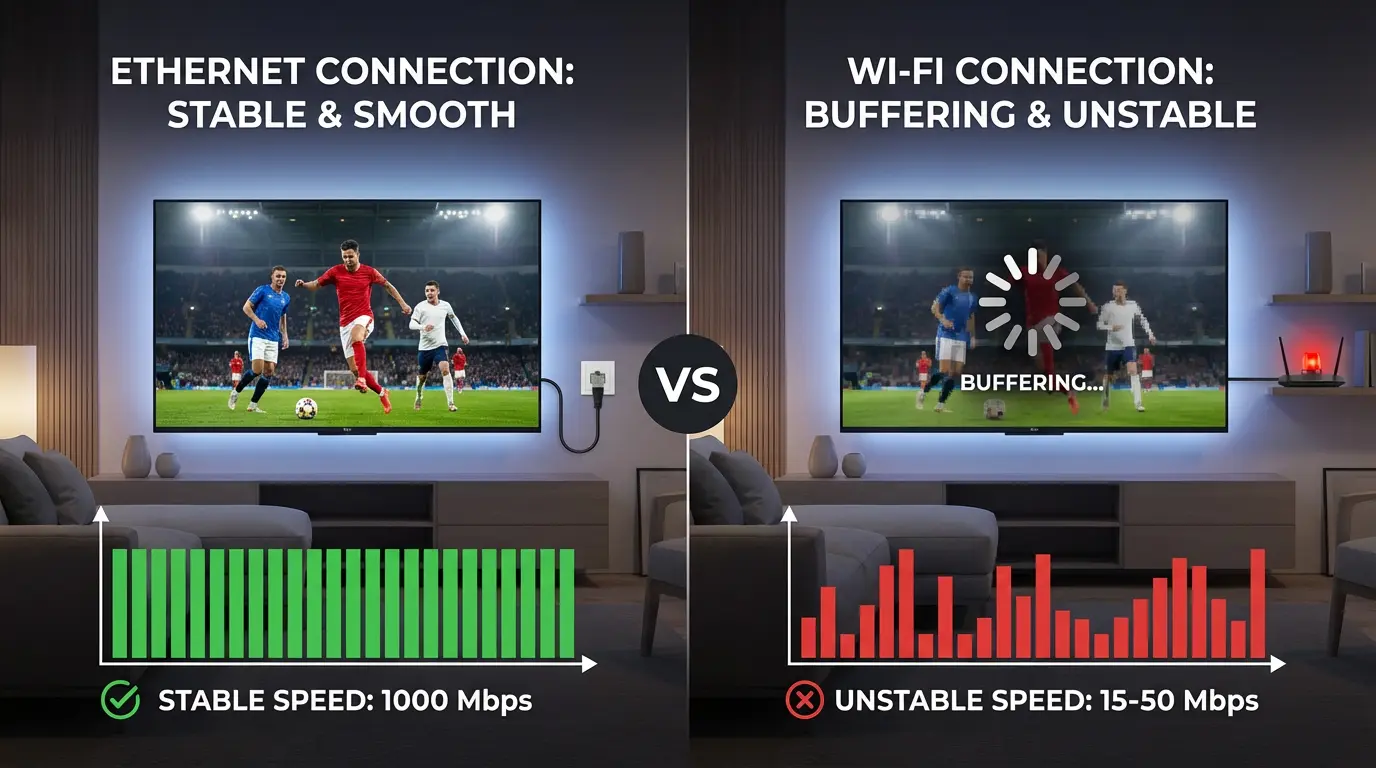 Wi-Fi is easy to use, but it can be affected by walls, other electronic devices, or your neighboring network. A direct, physical connection via Ethernet cable to your router will eliminate Wi-Fi as a potential issue. In case your IPTV machine has an Ethernet port, you can connect it directly to your router, at least temporarily. If buffering ceases, you know the issue is your Wi-Fi signal, not your internet service.
What Speed Do You Really Need? The Dubai Speed Test Reality Check
It is a good idea to run a speed test, but the results should not fool one. A high number in itself is not the entire picture. What thou require is perpetual velocity. To have a hassle-free experience, you would want to:
- 15–20 mbps stable HD (1080p) streaming
- 4K (UHD) streaming requires 30–50 mbps of stability
If your speed test results are significantly lower than the plan you are paying for with Etisalat or Du, you should contact them.
Router Overload: Do you have too many devices on it?
Any modern Dubai resident would likely have dozens of Wi-Fi-connected gadgets around, including phones and laptops, as well as smart home-related appliances. All of them have to be dealt with by your router. Disconnect some non-essential devices and test whether your IPTV stream improves.
 Comparison between 5 GHz and 2.4 GHz Wi-Fi Bands: A Rapid Enablement of Superior Speed
 Comparison between 5 GHz and 2.4 GHz Wi-Fi Bands: A Rapid Enablement of Superior Speed
| Wi-Fi Band | Speed | Range & Penetration | Best For |
|---|---|---|---|
| 5 GHz | is much faster. There is less likelihood of being interfered with. | Shorter range. Also, it does not drill into walls and solid objects. | IPTV Streaming. When the streaming device is in the same room or has a clear line of sight to your router, always use 5 GHz. |
| 2.4 GHz | Slower. It has the potential to be congested with numerous everyday appliances (microwaves, cordless phones). | Longer Range. More effective at getting into walls and floors. | Web surfing in general, or devices that are far from your router. High-quality streaming is advisable to avoid. |
Is It Your App or Device? Common IPTV Player Glitches
Seeing that your internet appears to be okay, the next place to check is the IPTV app you use (such as IPTV Smarters, TiviMate, etc.) or the device it is installed on.
Issue: Slow Menu, EPG Failing to Load, or Apps Freezing
These are typical indicators of a deadlocked application. In the long term, applications store temporary information in a so-called cache, which may become corrupt, leading to performance problems.
Solution 1: The “Clear Cache” Miracle Solution
Enter the settings of your device (e.g., on a Fire TV Stick: Settings > Applications > Manage Installed Applications), locate your IPTV player application, and select Clear Cache. This will not erase your login information, but many weird glitches will be fixed.
Solution 2: The Force Stop and Relaunch Refresh
There will also be a “Force Stop” option within the settings menu. This is a totally overwhelming close of the app. Once it is brought to a halt, restart the application.
Issue: “Playback Error,” “None of the formats can be played,” and Unstable Crash
These failures usually indicate some incompatibility with software or an infected installation.
Solution 1: Updates on Player Apps
Updates to developers are common to fix bugs and enhance compatibility. You can visit the app store on your device and check whether your IPTV player needs an update.
Solution 2: The “Installation” Last Resort
When all other options fail, remove the IPTV player app entirely, reboot, and then reinstall it from the app store. This will ensure you have the most recent, clean version.
Is Your ISP the Culprit? VPN Solution Throttling and Blocks
This is one of the most prevalent yet misconceived issues in Dubai. You also have high-speed internet, but your IPTV service goes down frequently, especially in the evenings or on weekends. This may be an indication of ISP throttling.
The Red Flag: Your Internet Bandwidth Is High, but IPTV Buffers
You run a speed test and get a good score (e.g., 200 mbps), yet when you try to watch a live channel, it breaks down after a couple of minutes. This is because there is no equal Treatment of internet traffic.
Why It Happens: How Etisalat and Du Can Slacken Streaming Traffic
Internet Service Providers (ISPs) occasionally control traffic on their networks by slowing (or throttling) certain types of data, e.g., high-bandwidth video streams on unofficial websites, to maintain network stability for all users. It is mostly automated and is more likely to occur during peak use.
The Solution: Why a Quality VPN Will Keep Your Stream Private from Throttling
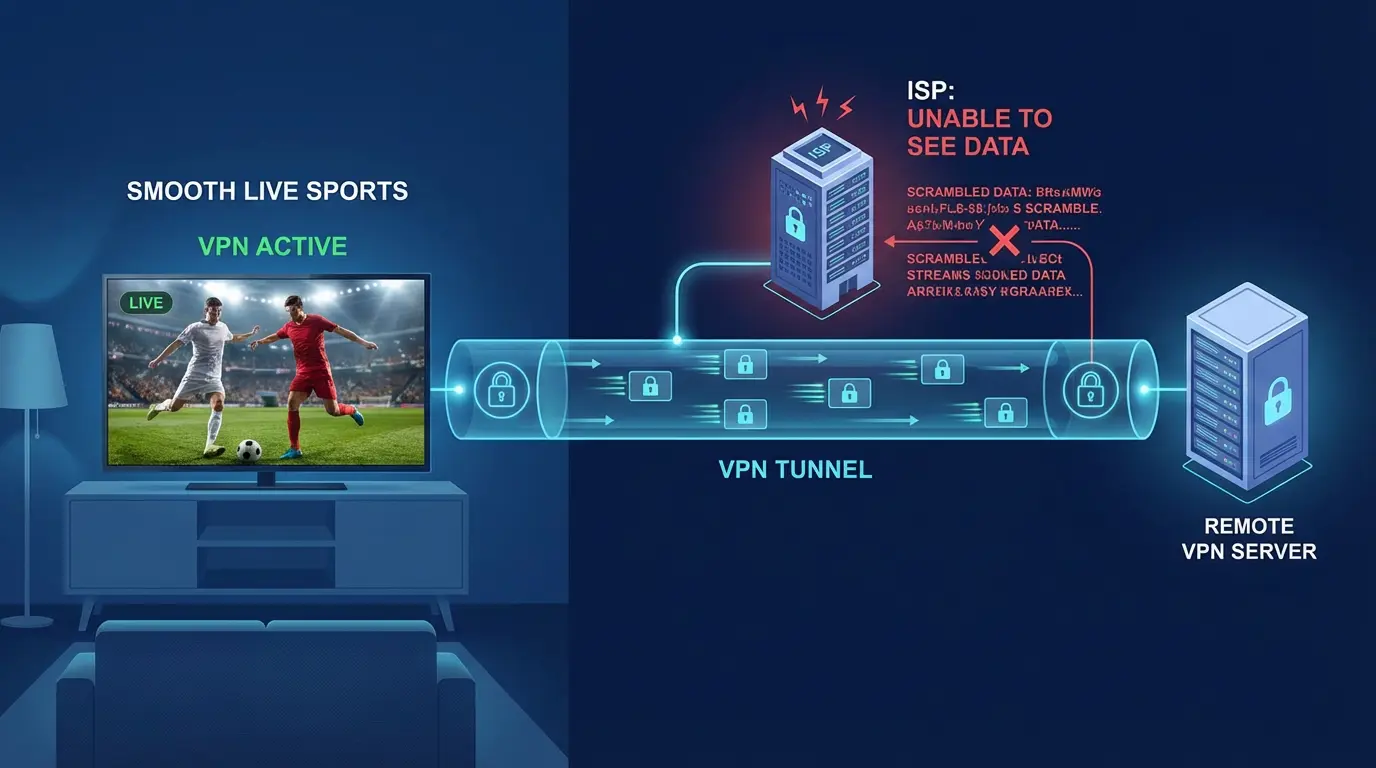 A VPN encrypts your internet traffic and routes it through a secure server. This is because your ISP can see that you are using data, but it will not know what data you are using. It cannot throttle your IPTV stream selectively, as it cannot differentiate between general web browsing and IPTV.
The Test: Turn on Your VPN and Find Out Whether Buffering Goes Away
This is the definitive test. If you are experiencing slow buffering despite a high-speed internet connection, you should subscribe to a trusted VPN service. Connect to a server (it is usually better to use one in the neighboring country) and restart your IPTV service. Should the buffering suddenly cease, then you have proved that your problem was ISP throttling.
When the Problem Is Not You: 4 Things Your IPTV Provider Is Not Doing
You have restarted everything, your internet is fast, your application is new, and you are using a VPN—yet the service is so bad. Now is the time to give up on troubleshooting your setup and start judging your provider.
Sign 1: “Cat & Mouse” Outages
The service is flawless after an hour, then crashes, then restores itself. This means the provider’s server is unstable and overloaded.
Sign 2: Specialty Channels will be forever out of business
When you are paying for a premium package and cannot access the major sports or movie channels at any time, your provider is not doing its part.
Sign 3: You have not updated your EPG in days
An outdated Electronic Program Guide also indicates that the provider is not maintaining or caring for it.
Sign 4: Customer Support has Vanished
When you call your provider for assistance and do not get a response, it is a clear indication that they do not value you as their customer.While a VPN can solve many technical issues like throttling, it also opens up important questions about local regulations. For a complete overview, we recommend reading our guide: Is IPTV Legal in the UAE? A Complete 2026 Guide.
The Conclusion: When to make a loss and seek an alternative provider
When you notice these symptoms, do not waste your time and efforts anymore. Your provider is at fault. It is time to locate a more professional, reliable service that will respect your business.
FAQs:
Why is IPTV buffering only at night in Dubai?
This is the archetypal symptom of either ISP throttling or an overloaded IPTV server. It occurs at night because that is when the number of people using the internet in your location (as well as the IPTV service) is highest. The best tool for deciding whether it is one or the other is a VPN.
What is the meaning of the “Connection Failed” error?
This usually translates to three things: your internet is not working, the provider’s server is offline, or you entered your login details in the wrong format. Check your username/password beforehand.
Should I necessarily use a VPN with IPTV using Etisalat or Du?
Not necessarily, however, strongly advised. A VPN is necessary to ensure some privacy and is the best way to circumvent throttling, a widespread problem.
Why can I not log in with a bad username/password when it is my correct information?
This may occur if the provider blocked your account or marked your IP address. Call the support of your IPTV provider. And at times, they even require resetting your account on their part.
Is my IPTV provider able to reset my account in case I am experiencing issues?
Yeah, respected vendors can reset on their end, and this can resolve bizarre, persistent account-specific issues at times. Their support team is never wrong to ask.